

It controls the objective, the first interaction, and the core structure before moving into advanced configuration.
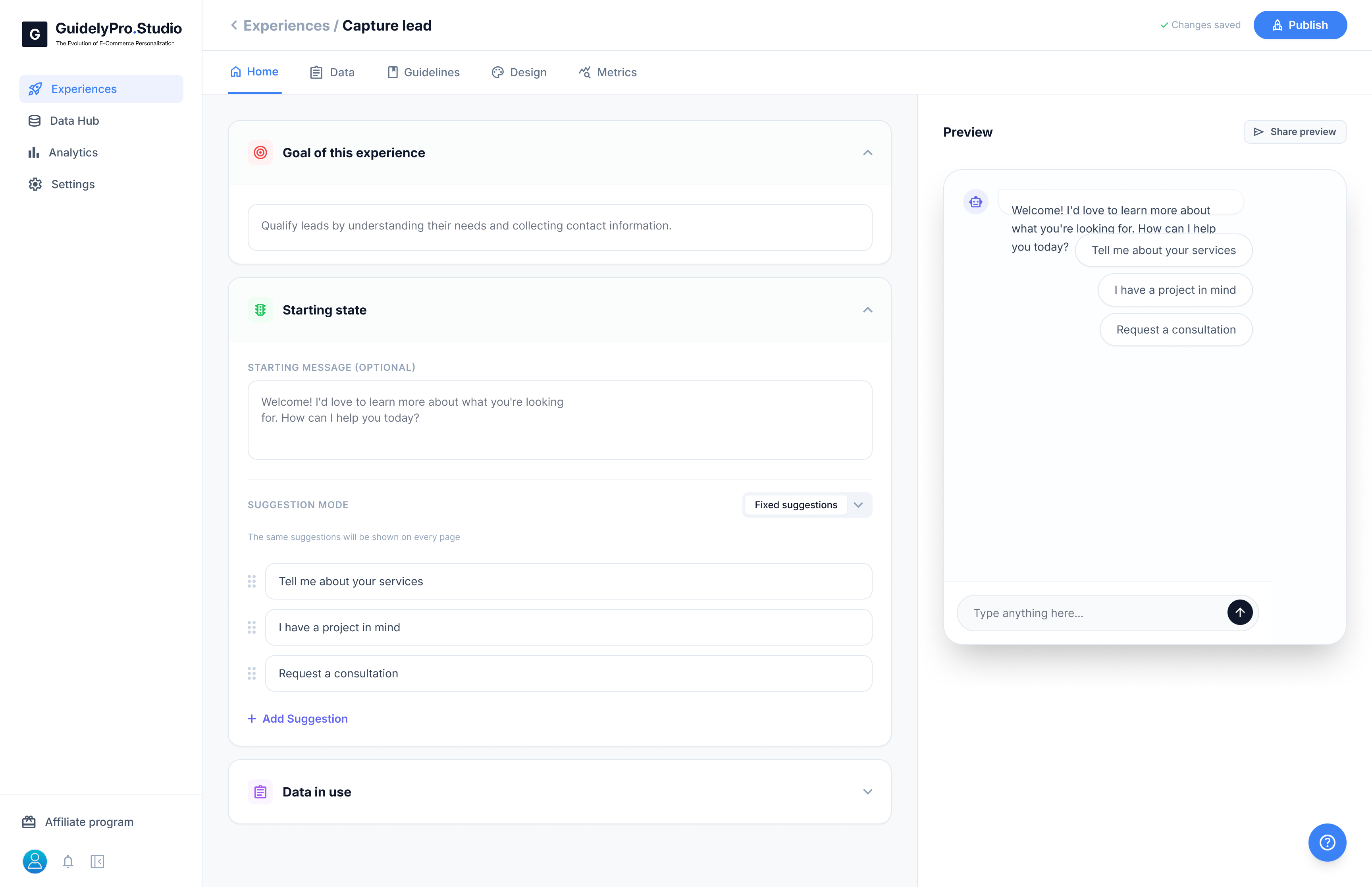
🎯 Goal of this Experience
This is the main objective of your AI experience. Here you clearly define what the AI should accomplish, such as:- Qualify leads
- Recommend products
- Guide visitors toward a consultation
💬 Starting State
The Starting State defines how the experience begins. You can set:- The welcome message visitors see first
- The tone and style of communication
- The first interaction prompt
Suggestion Mode
Suggestion Mode
Suggestion Mode controls the quick reply buttons shown to visitors.You can:
- Add predefined suggestions
- Reorder them
- Choose how they appear
🗂 Data in Use
This section shows which data sources the experience can access. Examples include:- Synced Shopify product data
- Custom attributes
- Connected integrations
The Home tab is where you define the purpose and structure of your Experience before refining design, logic, and analytics in other tabs.