

Get started in three steps
Get your documentation site running locally and make your first customization.Step 1: Setup & Connect your Shopify store
Sign up to GuidelyPro.Studio
Sign up to GuidelyPro.Studio
Sign up using Google, Microsoft, or your email address.This gives you access to GuidelyPro.Studio, where you create, manage, and track your AI-guided shopping experiences.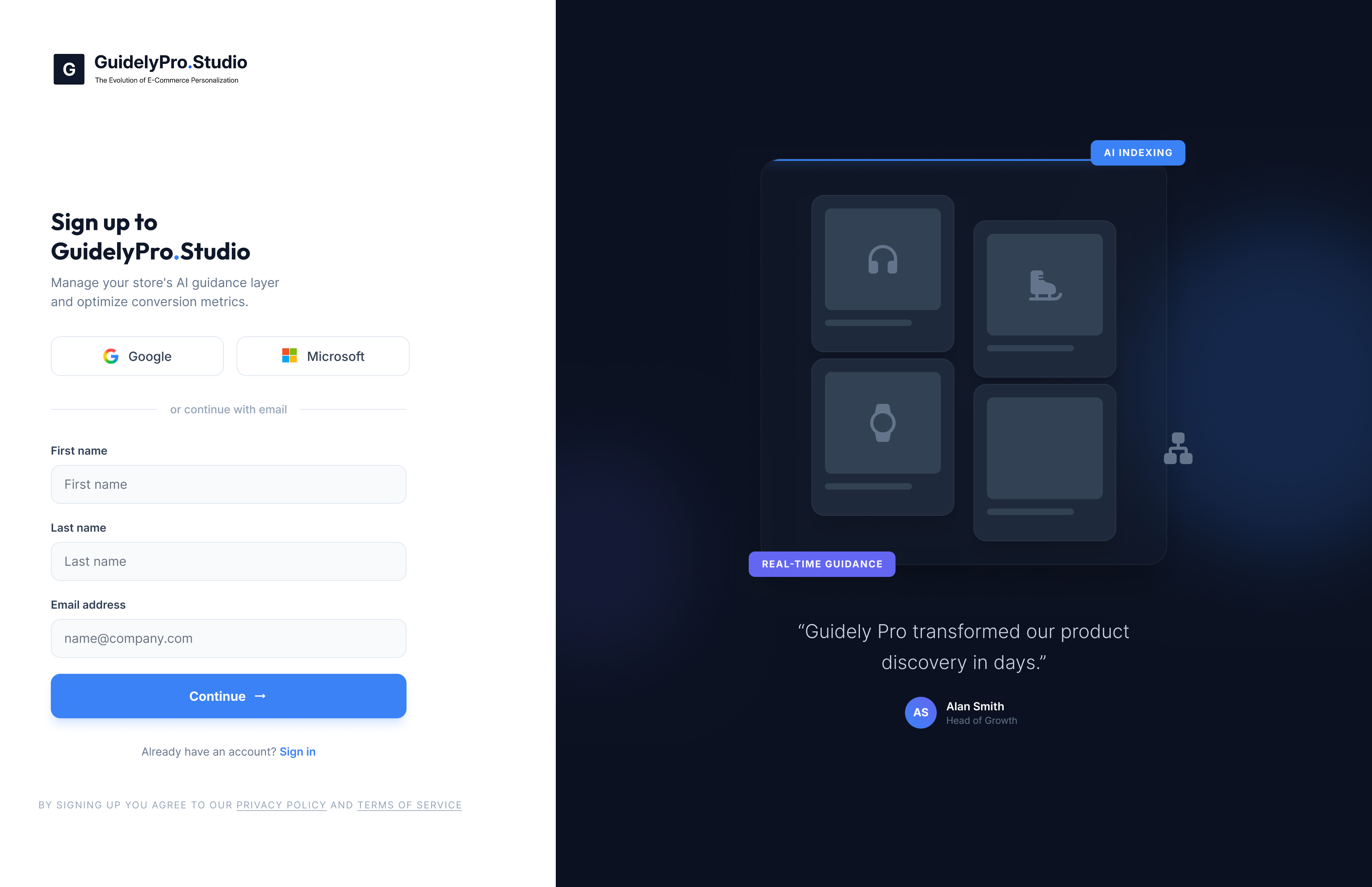
Link your Shopify account
Link your Shopify account
Enter your Shopify domain in this format: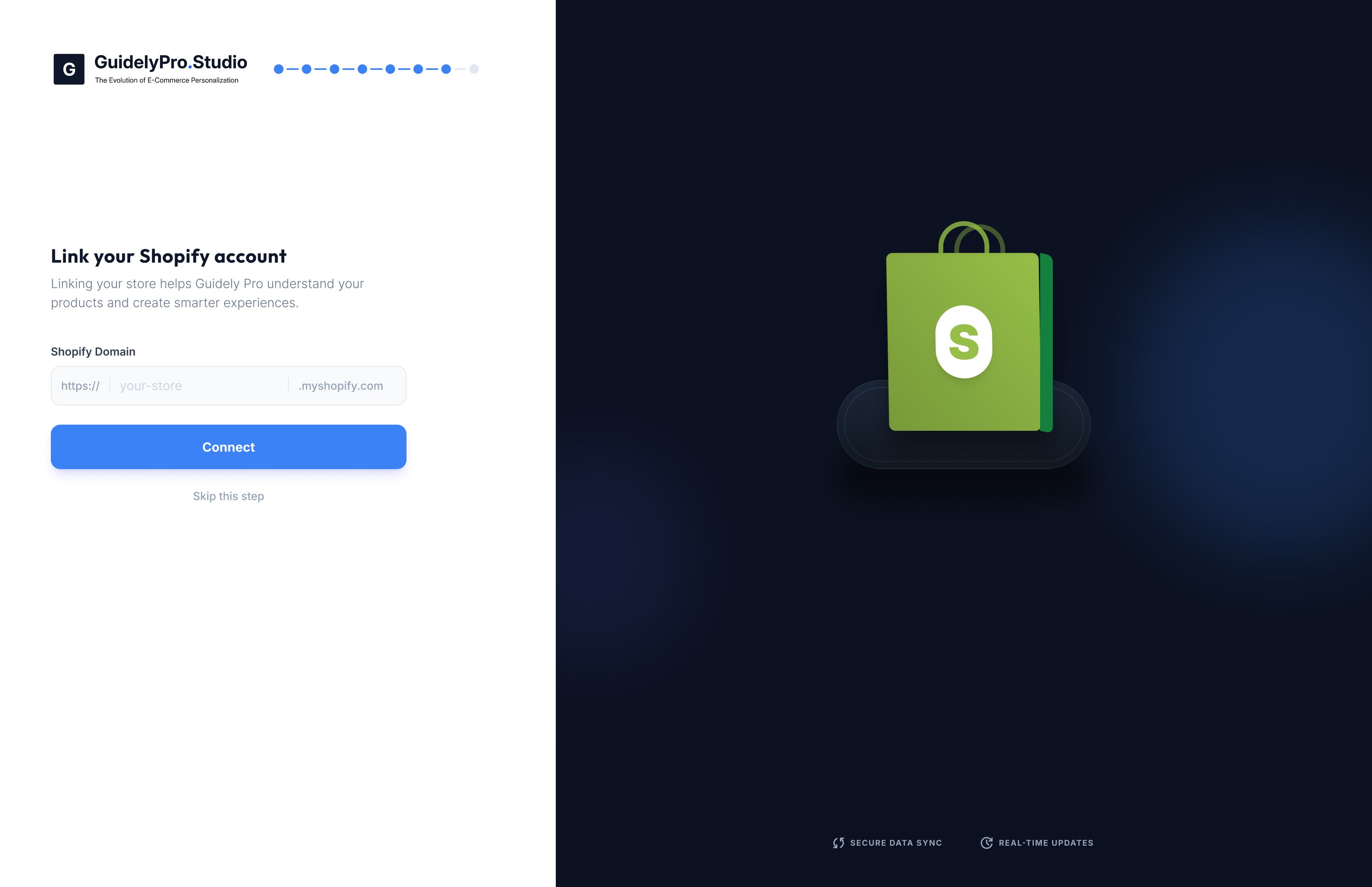
your-store.myshopify.comClick Connect to securely sync your product data.This allows GuidelyPro to:- Import your products
- Understand variants and pricing
- Generate smart recommendations
- Track AI-influenced revenue
Step 2: Create your first experience
Choose a template or start blank
Choose a template or start blank
After connecting your store, click Create Experience.You can: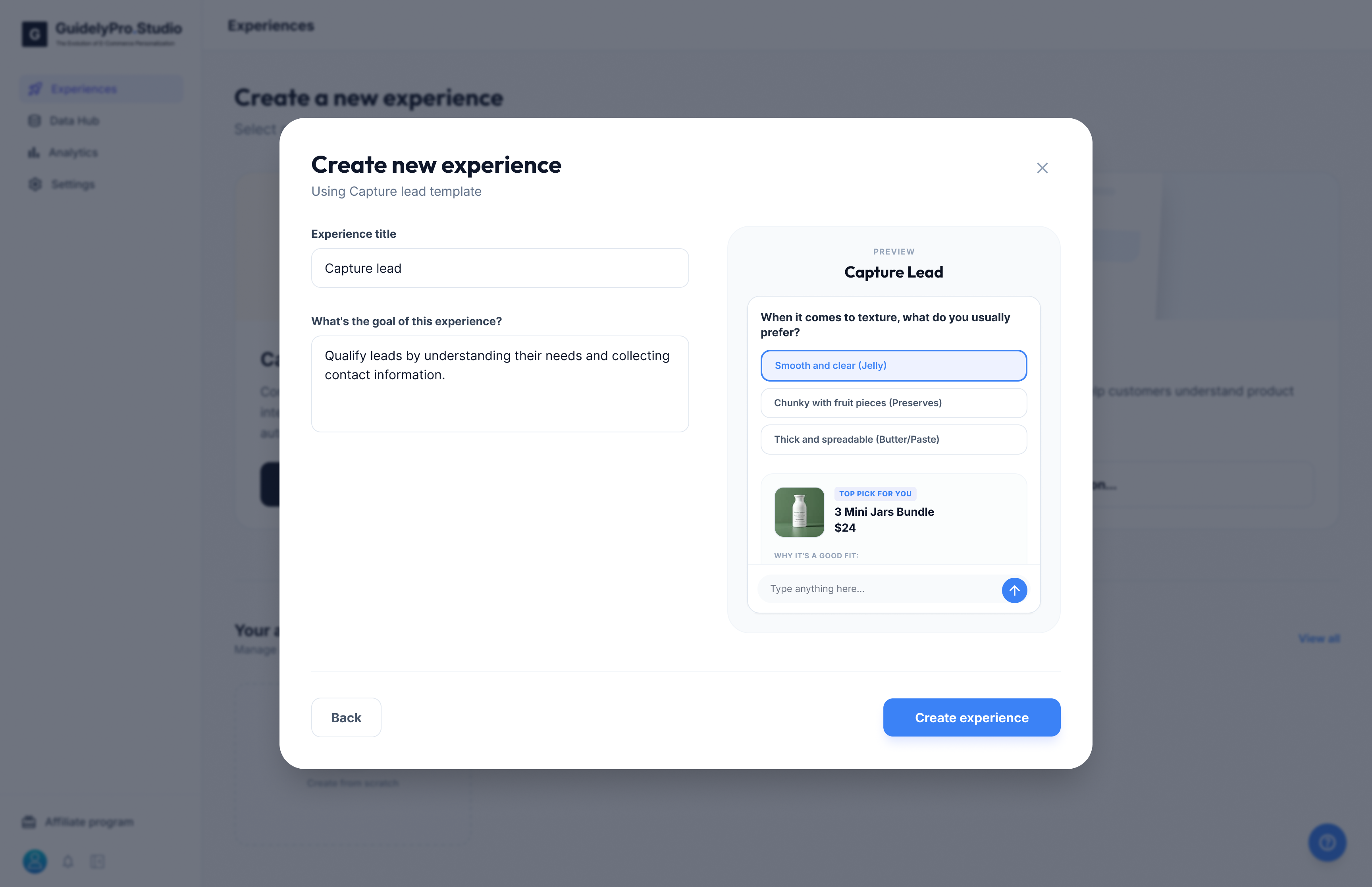
- Select a ready-made template like Capture Lead
- Or create a blank experience
Configure your experience
Configure your experience
Inside the Experience builder: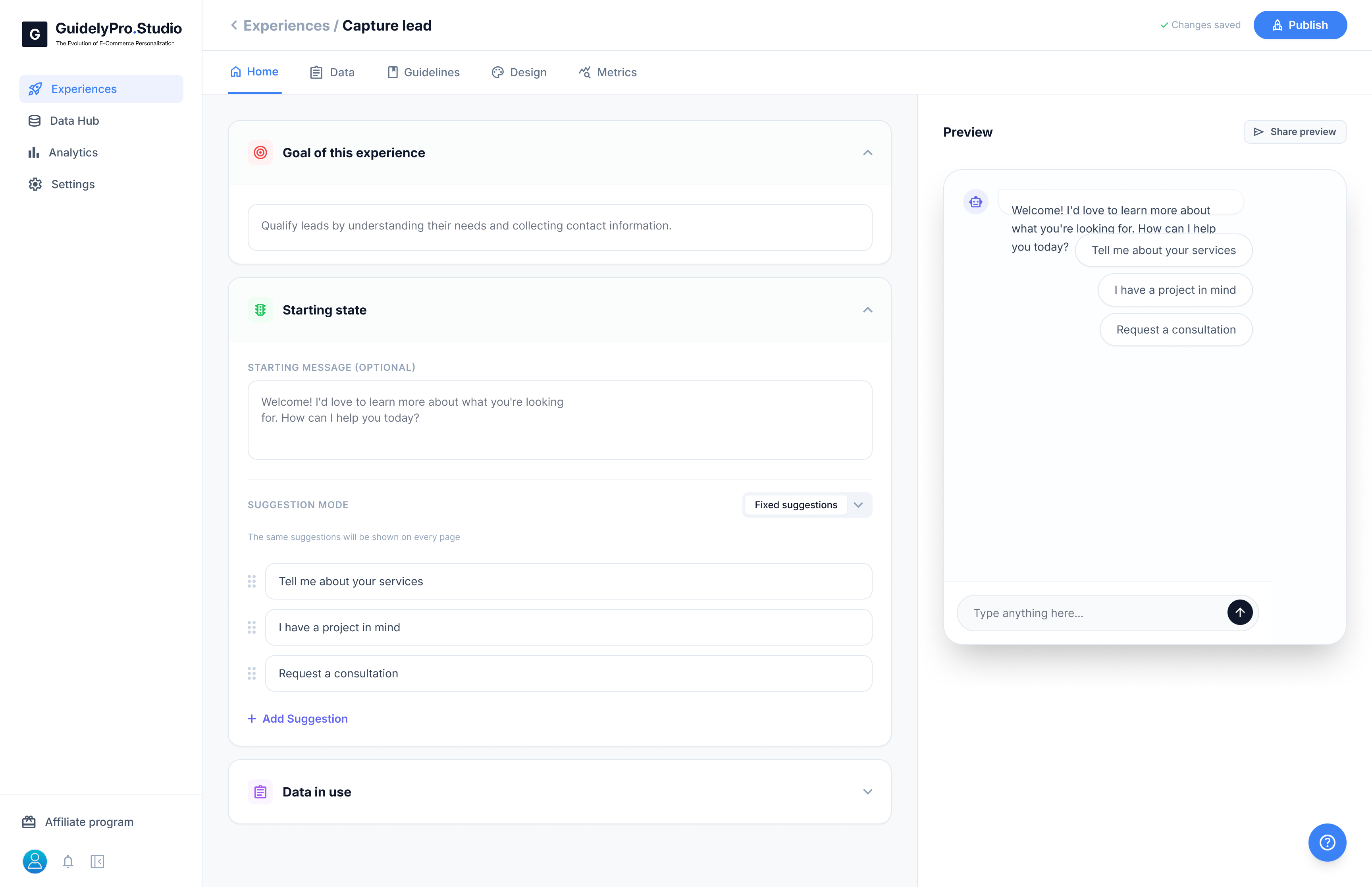
- Set your starting message
- Add qualification questions
- Preview the flow on the right side
Step 3: Publish your experience
Publish and make it live
Publish and make it live
Once your experience is ready: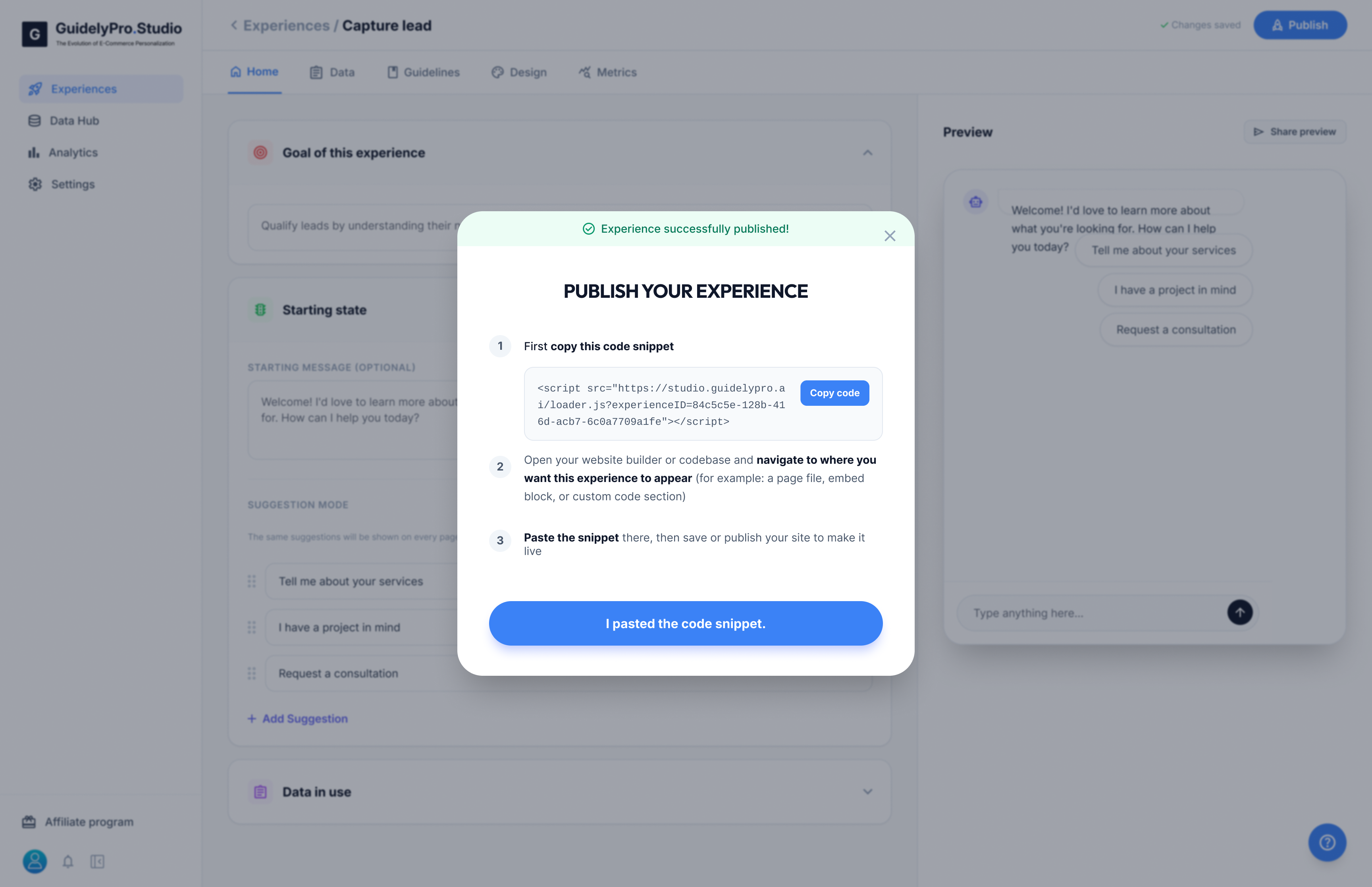
- Click Publish
- Copy the generated script snippet
- Paste it into your e-commerce store where you want the experience to appear
(or enable it via App Embed if installed through the Shopify-/WooCommerce App)
You’re Ready 🚀
Your store is now equipped with an AI-powered conversion engine.Need help? See our full documentation or follow us on LinkedIn or Facebook.